Skip navigation
To change your Email Login and/or password:
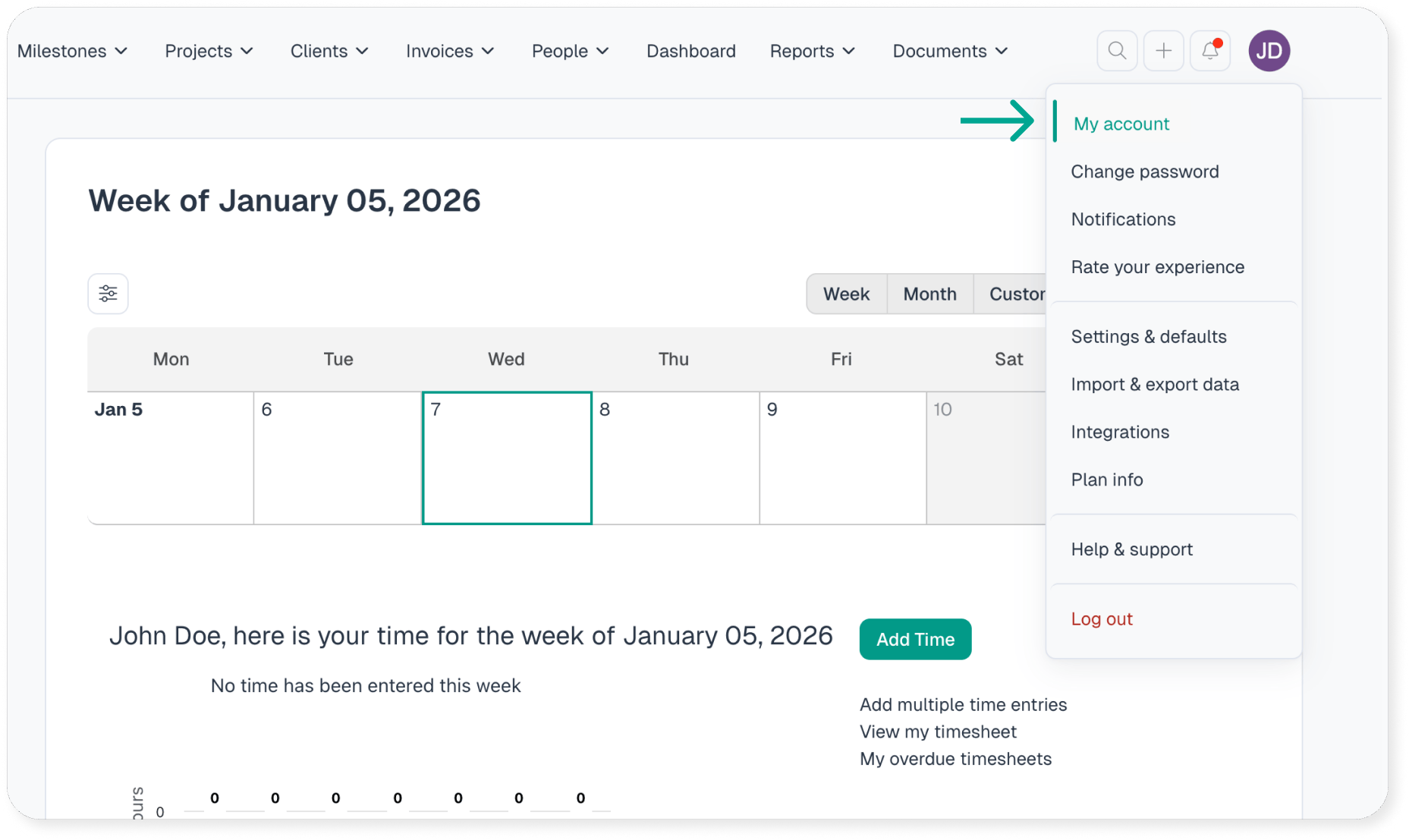
- Navigating to the “My Account” page via the menu bar
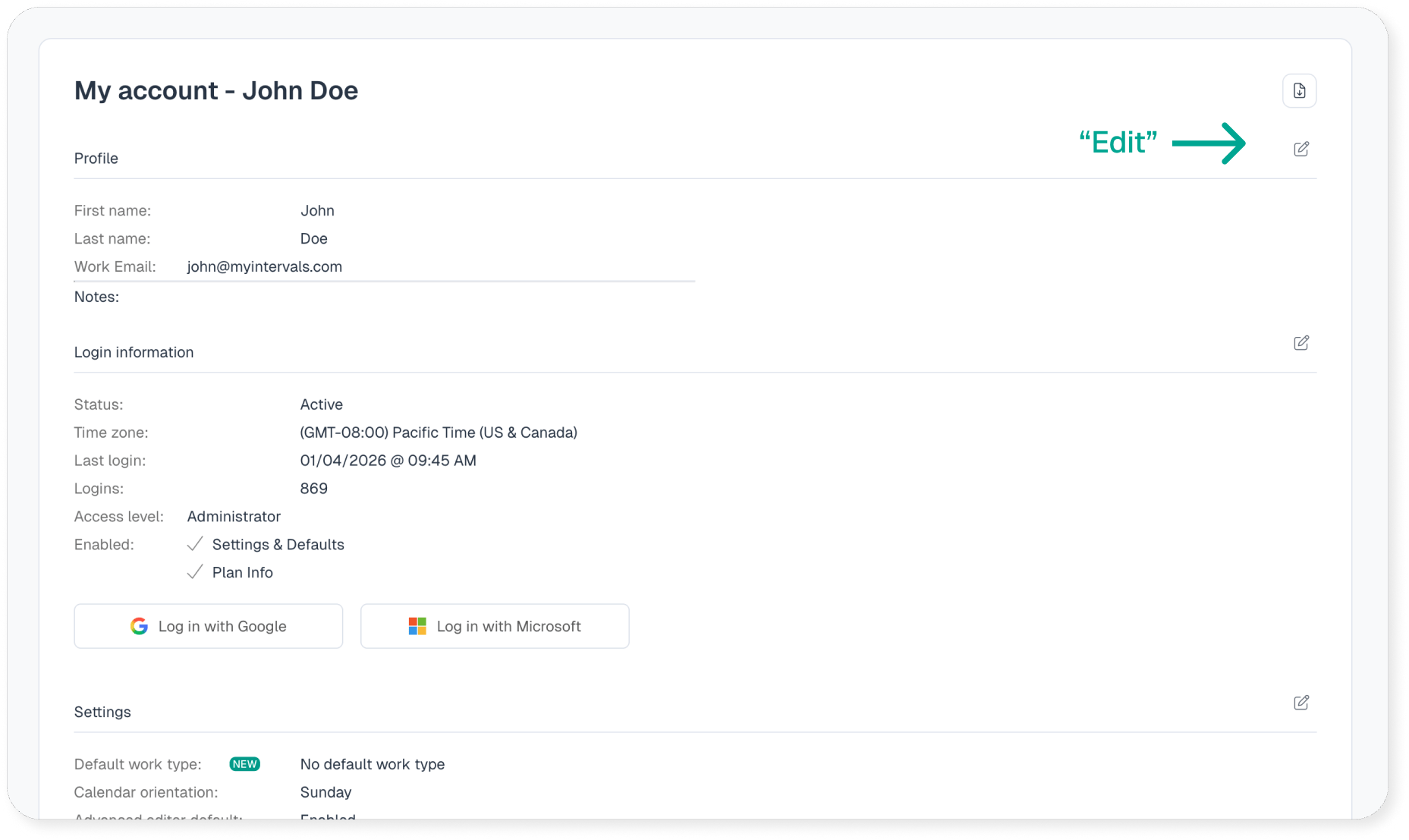
- Select the “Edit” icon on the right of the profile section
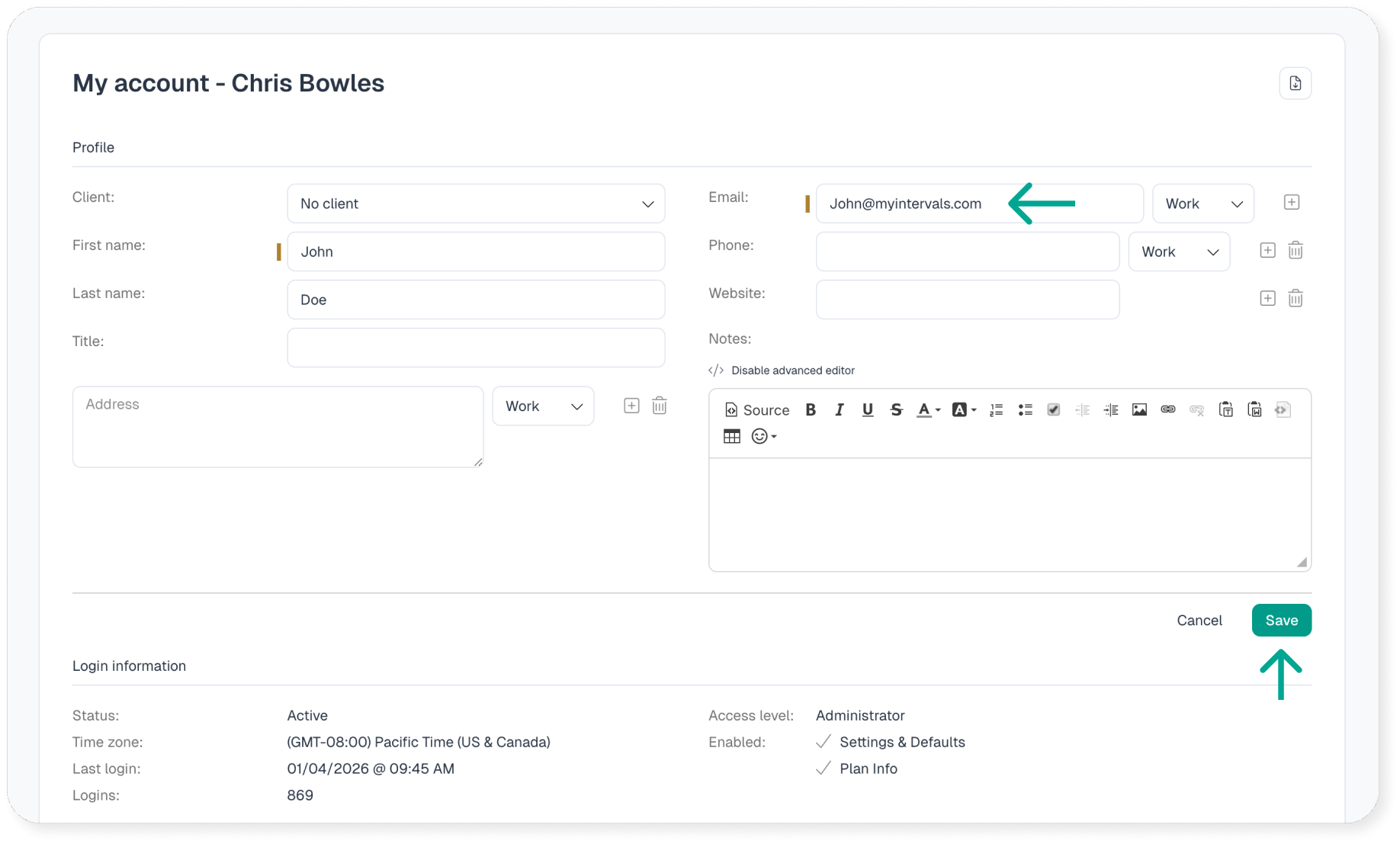
- Update your work email here, then click Save
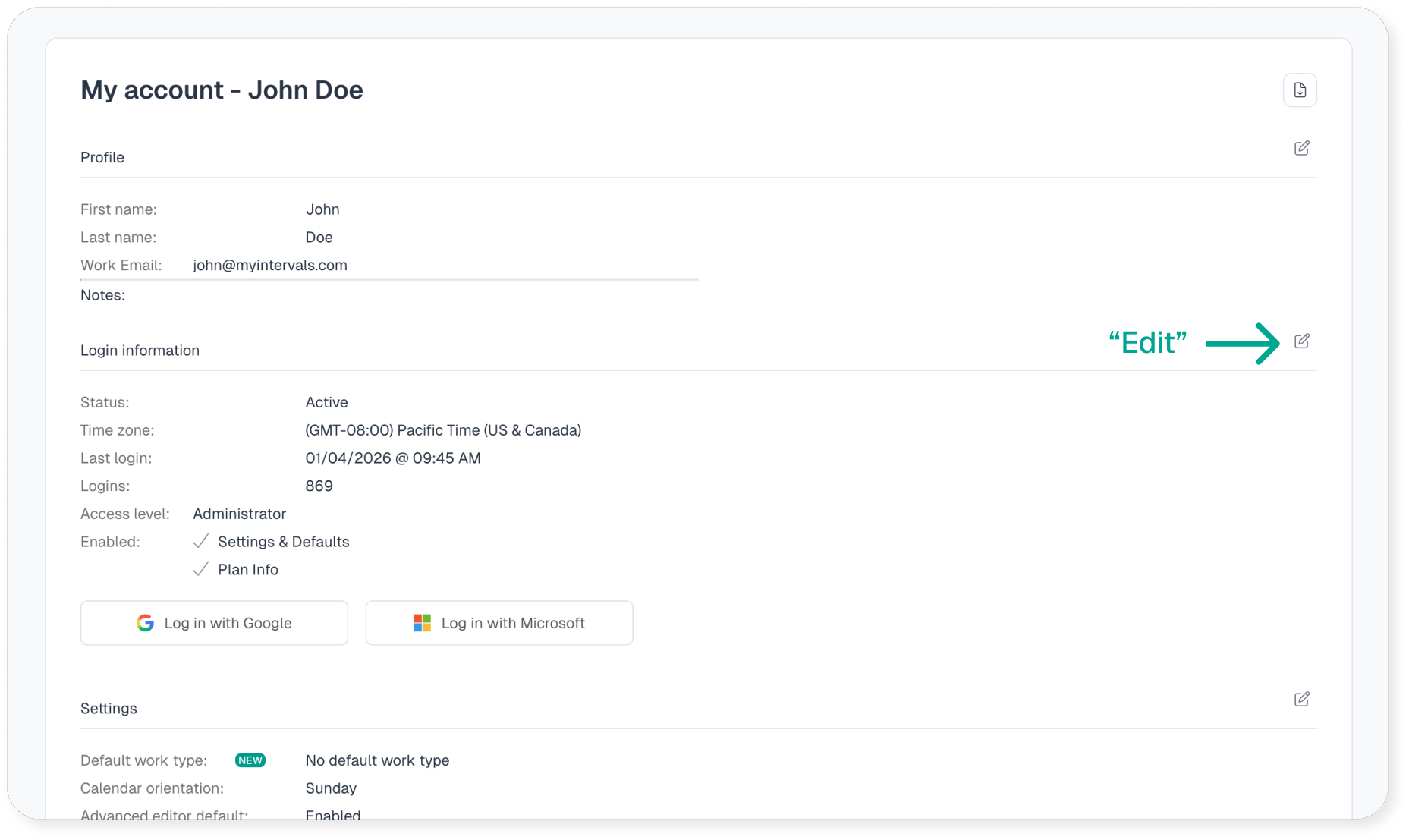
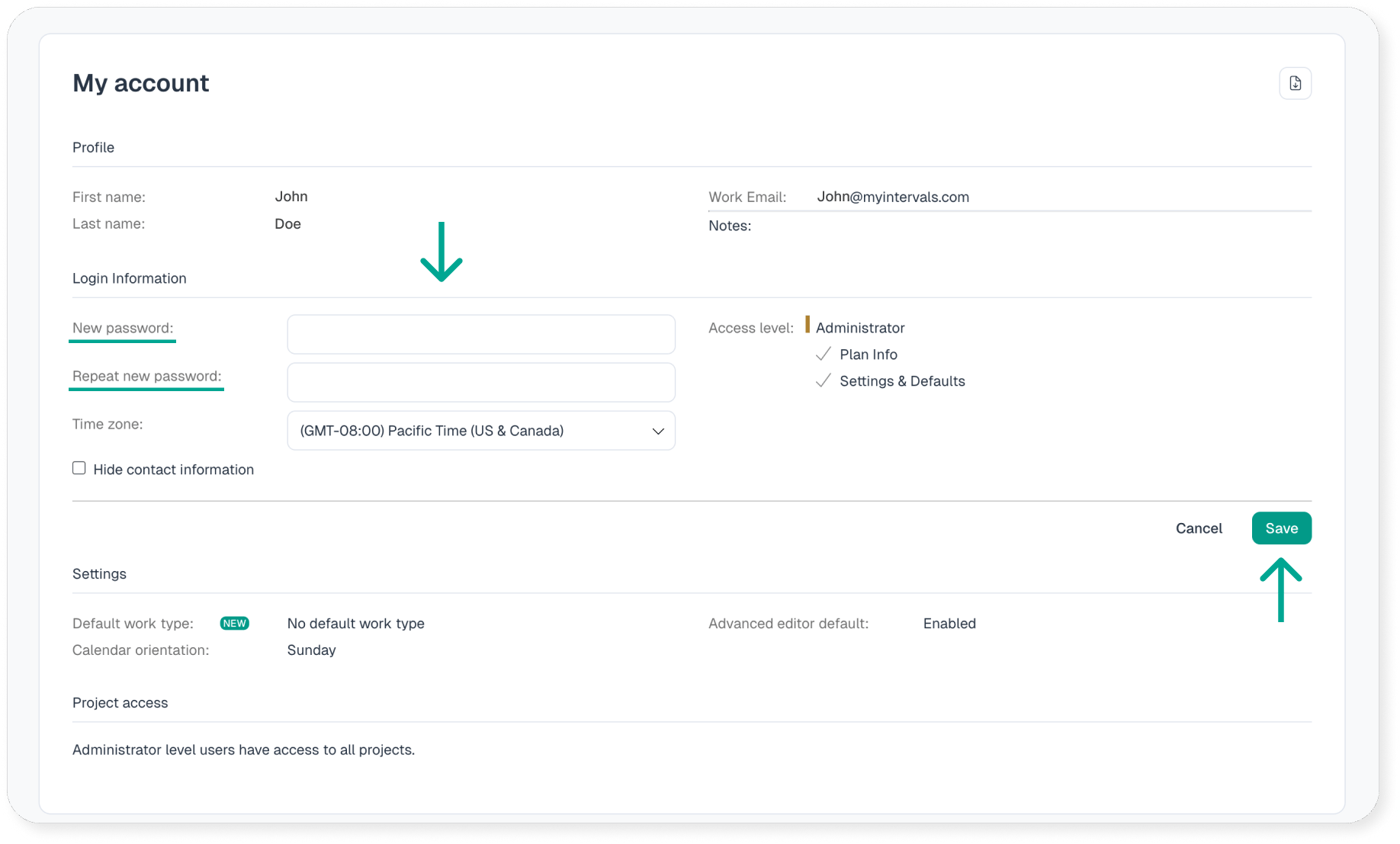
- To change you login password go to my account then click the “Edit” icon to the right of the login information section
- Input your new password here, then click save
Don't have an Intervals account? Start your own unlimited trial.
No credit card required. No software to install. Cancel any time.
Try it Free

