
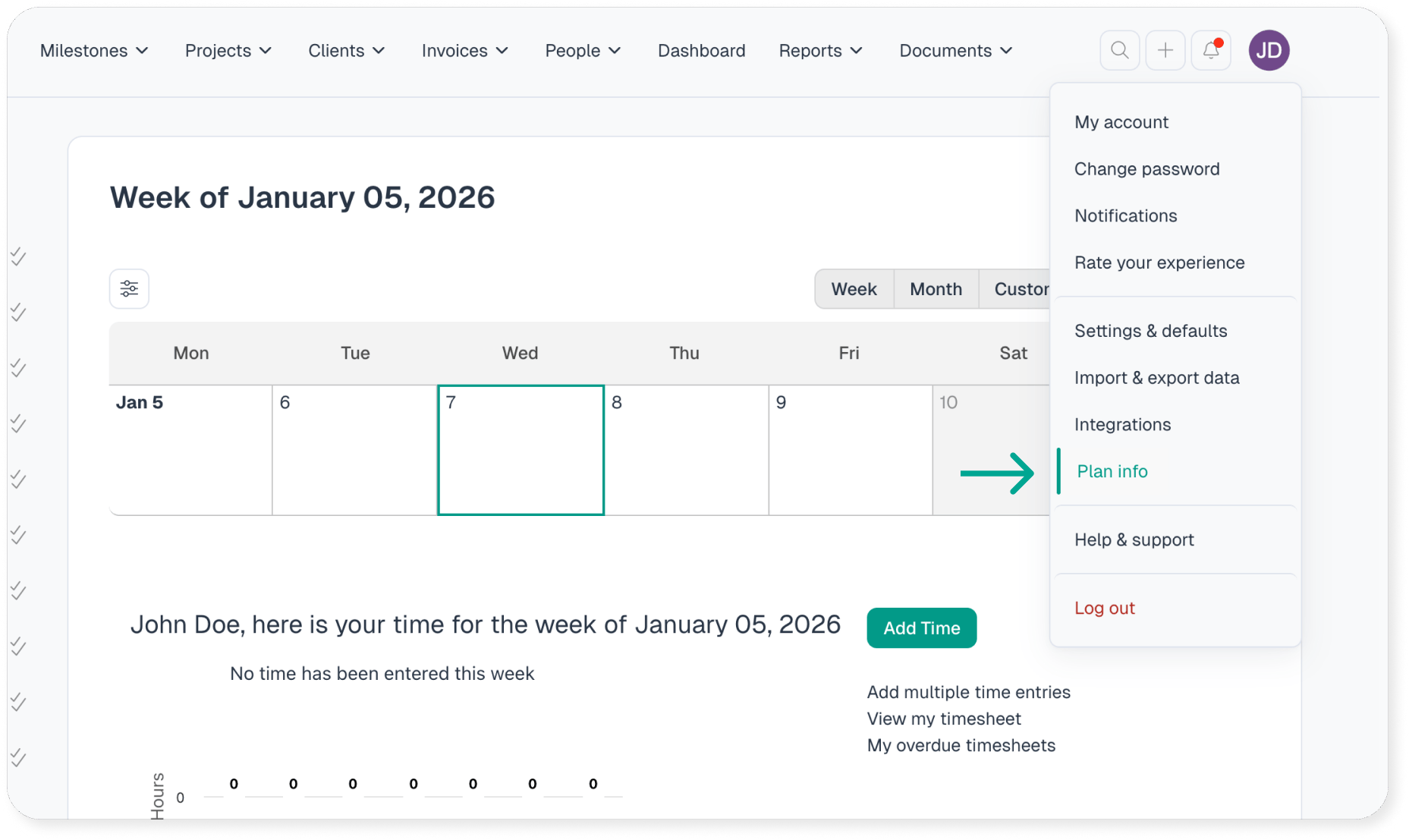
If you need to update the payment method for your account, log in and navigate to Options >> Plan Info.
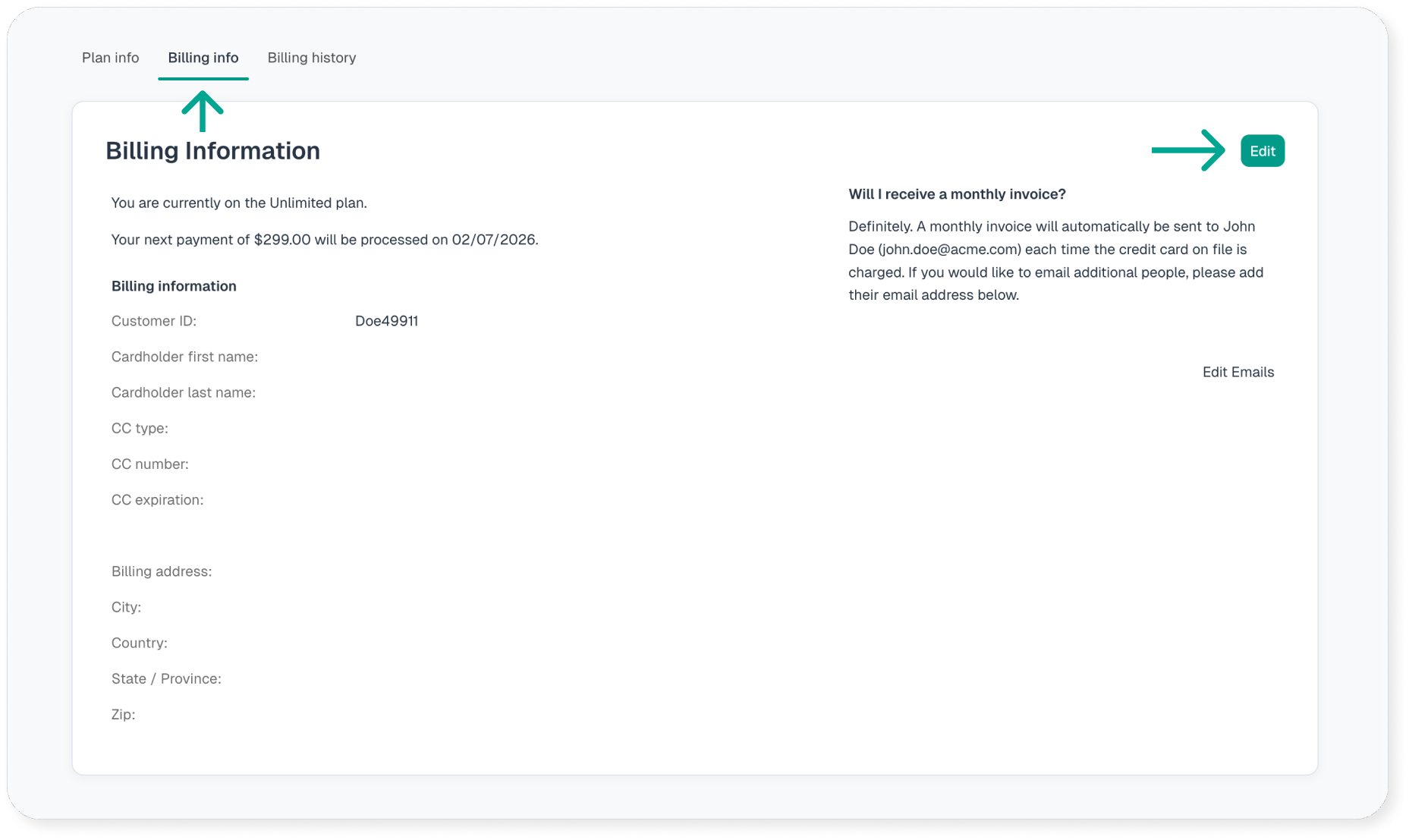
Select Billing Info at the top then select Edit.
Enter your new debit/credit card or billing information and click Save. That’s it! You’re all set.
On your next billing cycle, your new card will be charged and the regular monthly receipt will be sent via email.