From the Home Page Calendar, quickly update the following items via drag and drop:
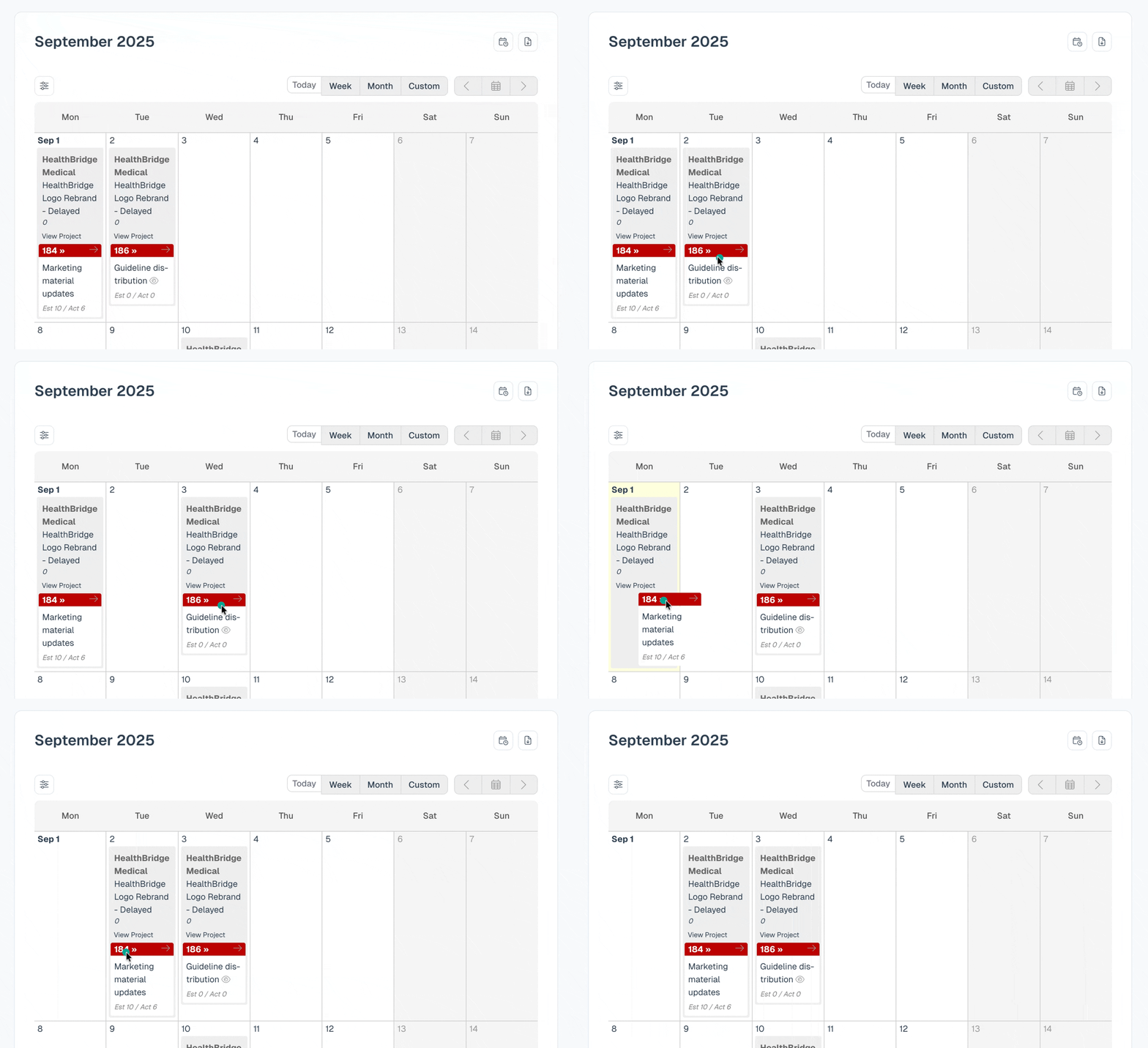
- Task start & due dates
- Milestone due dates
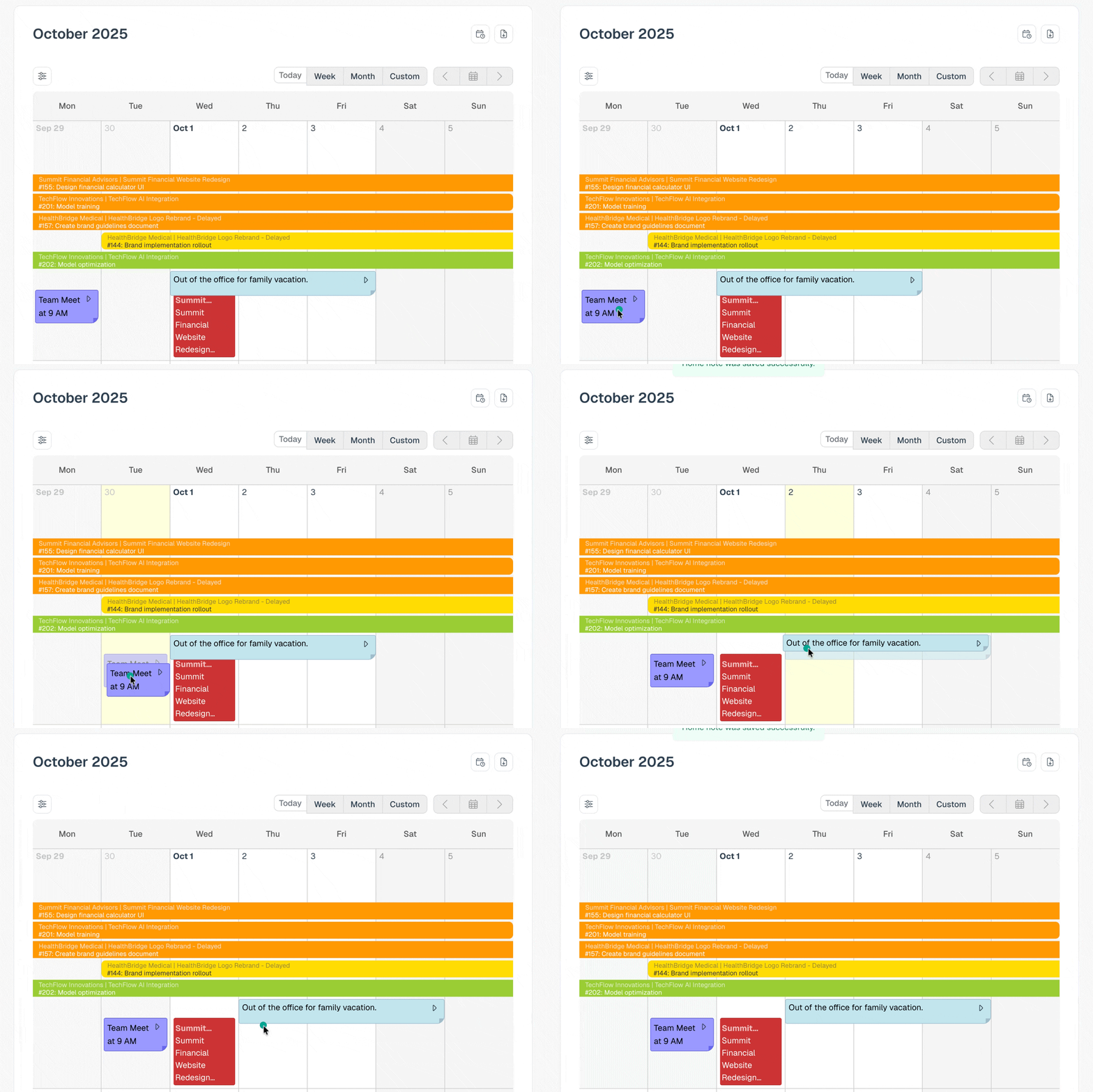
- Notes to different days
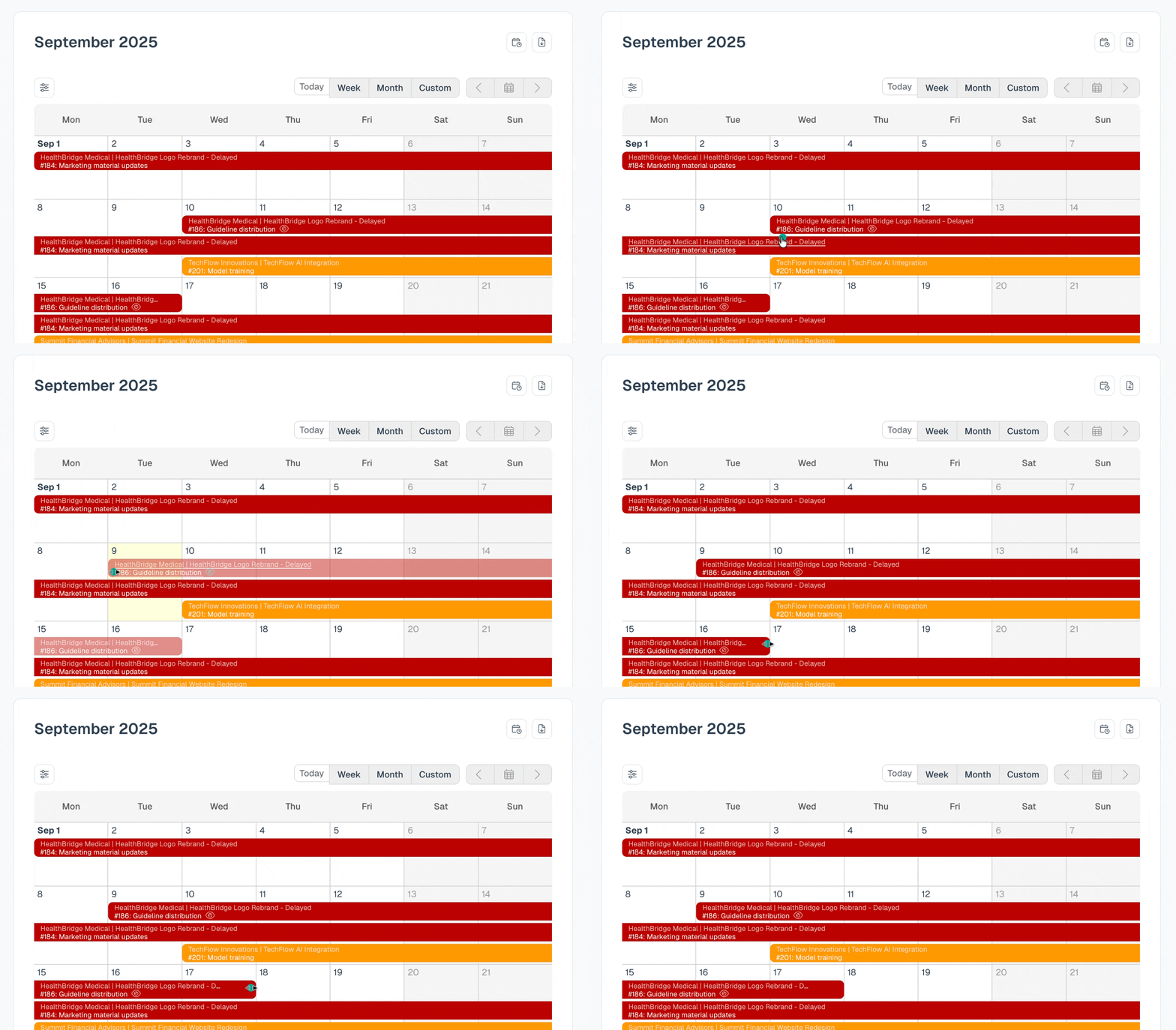
1. Update task start or due date
- Drag the beginning of a task to update the start date
- Drag the end of the task to update the due date
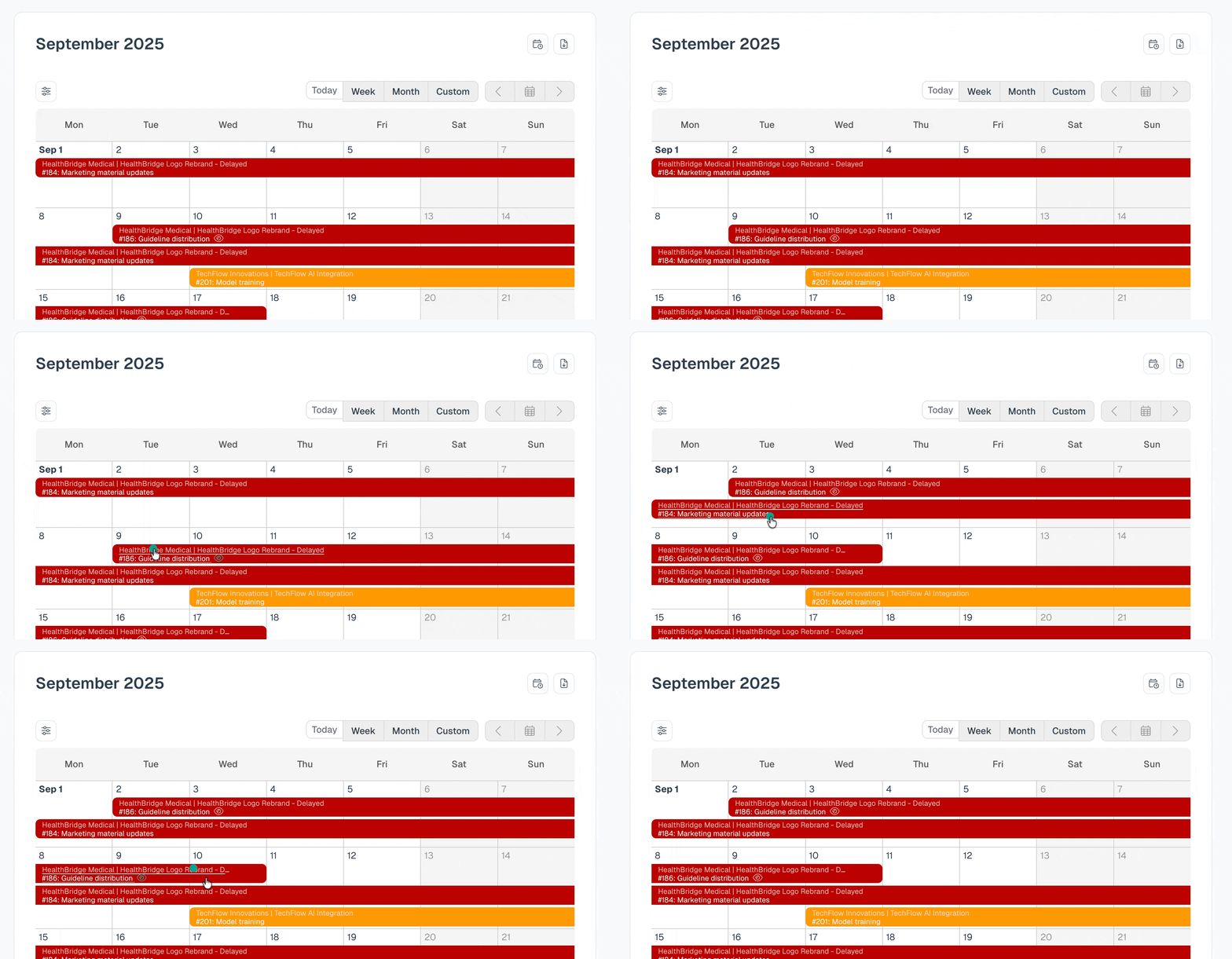
Drag the entire task to update the start & due date at the same time
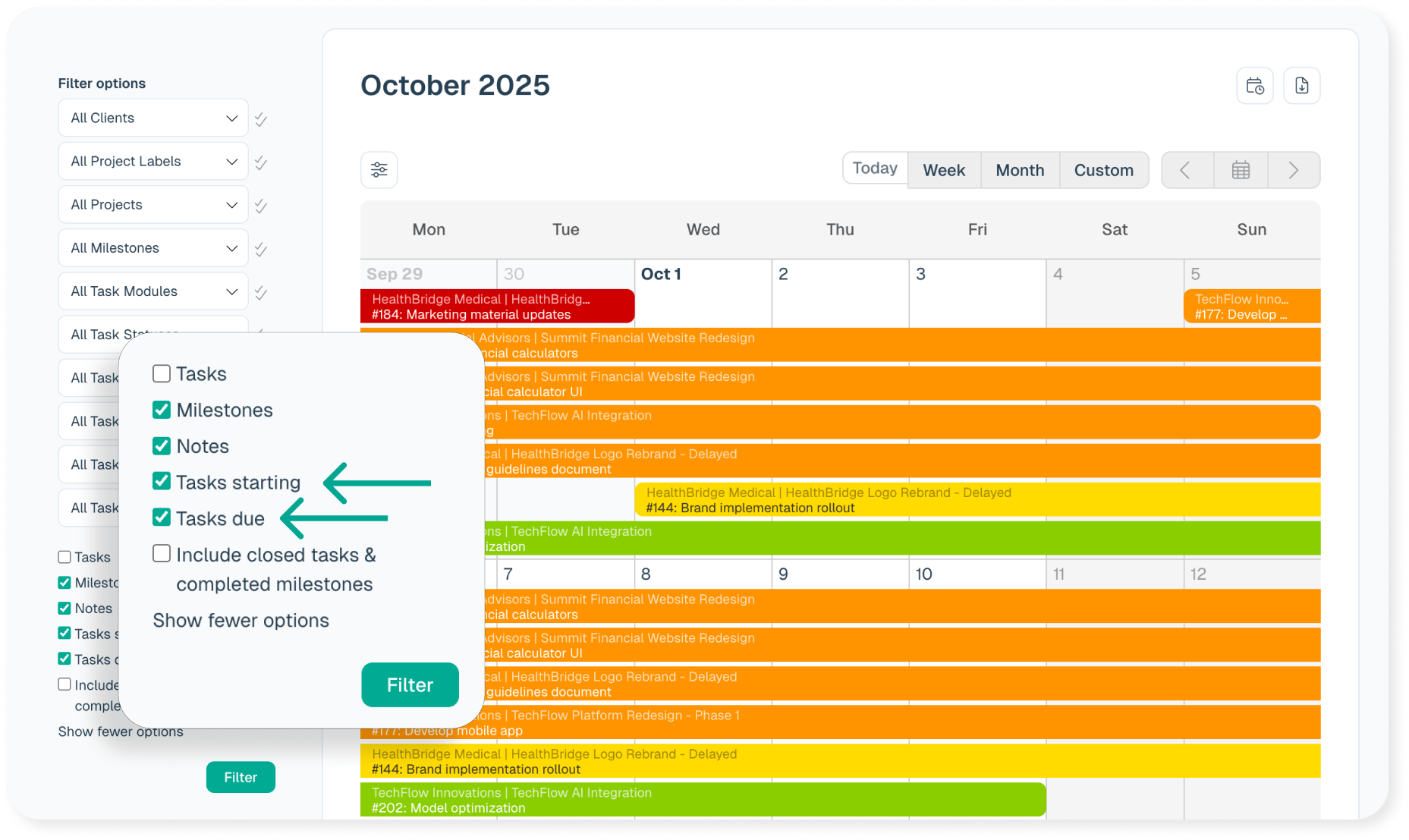
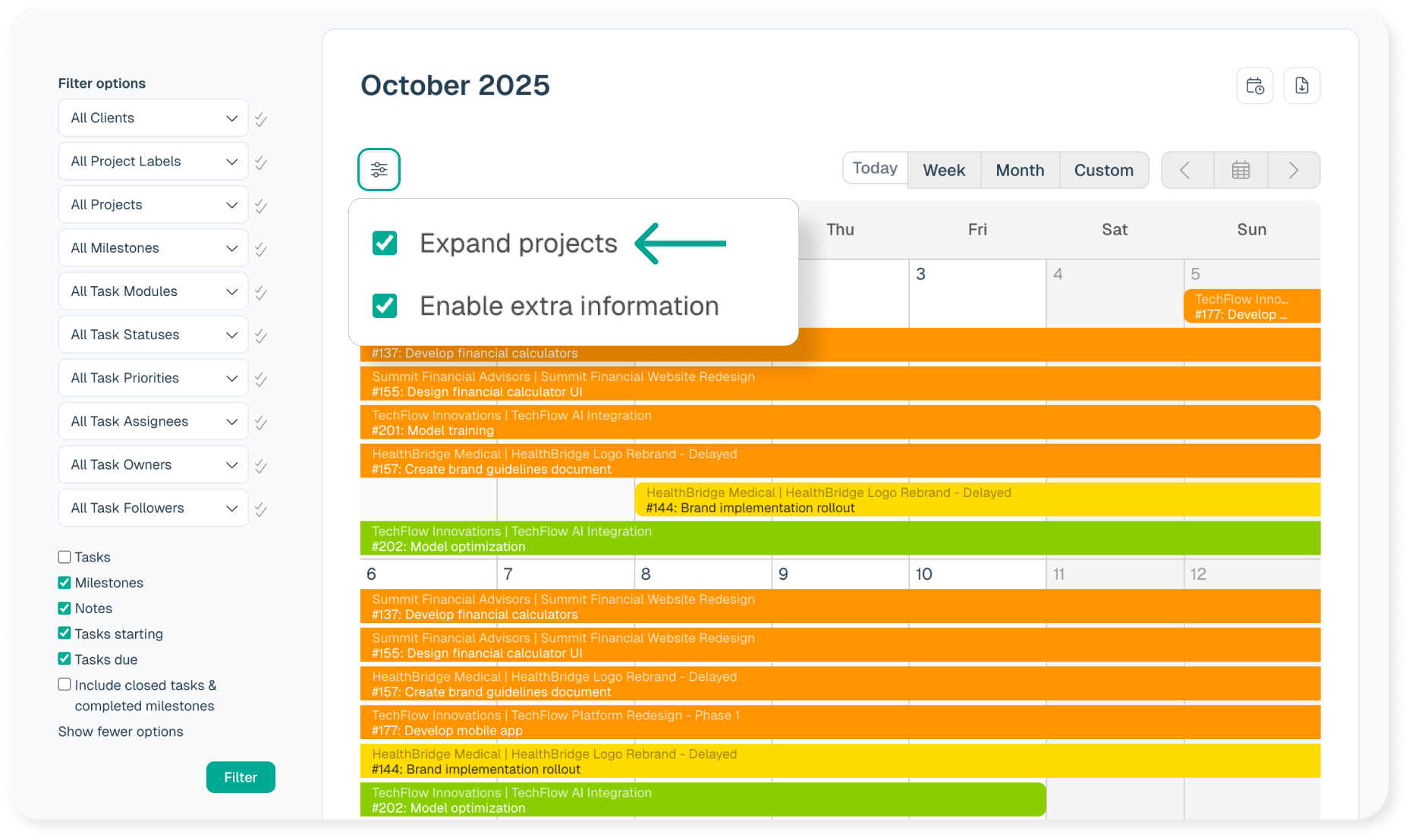
If you are filtering on “Tasks Starting” and/or “Tasks Due,” be sure to enable the checkbox “Expand projects” in order to drag tasks.
2. Drag notes to different days
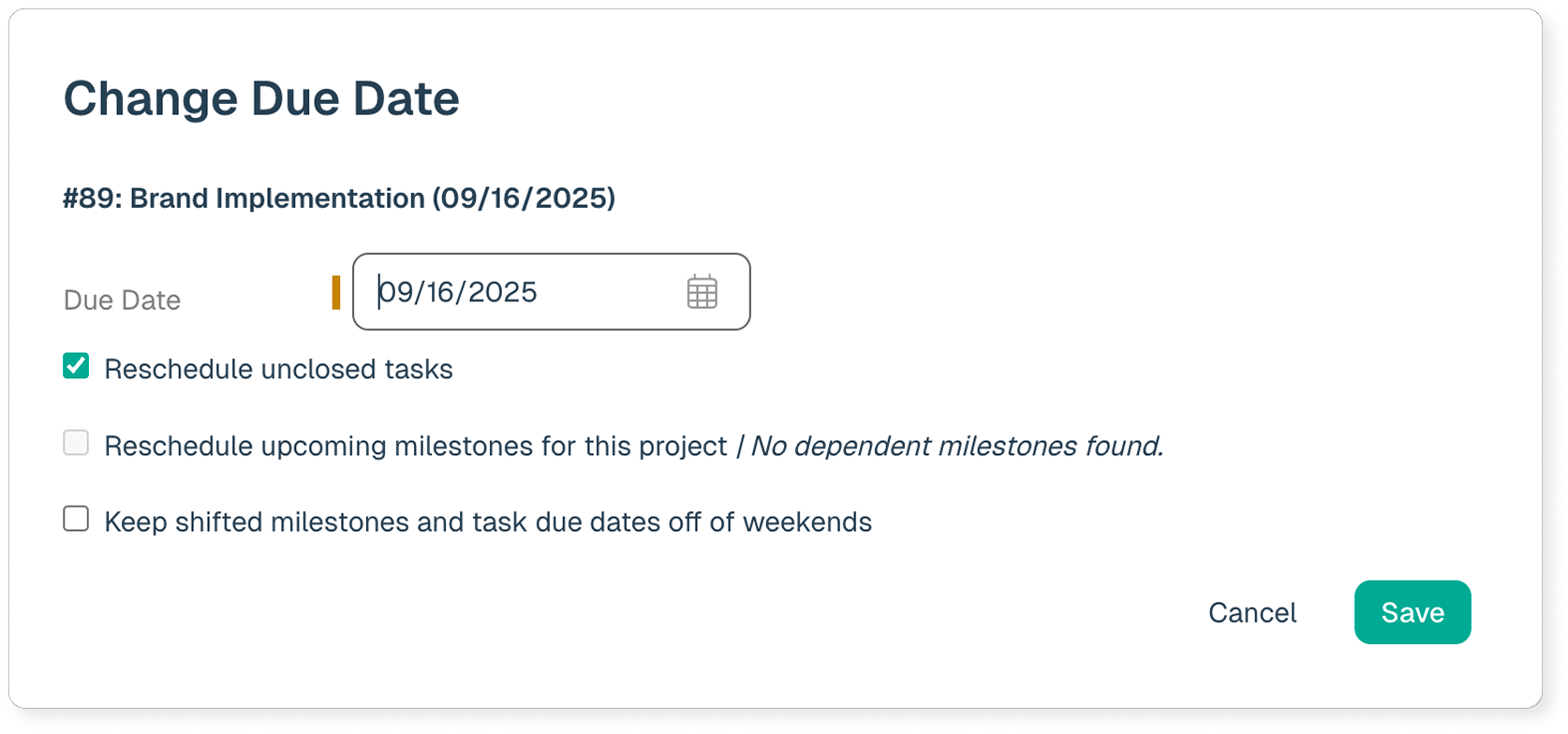
3. Drag a Milestone to a different day
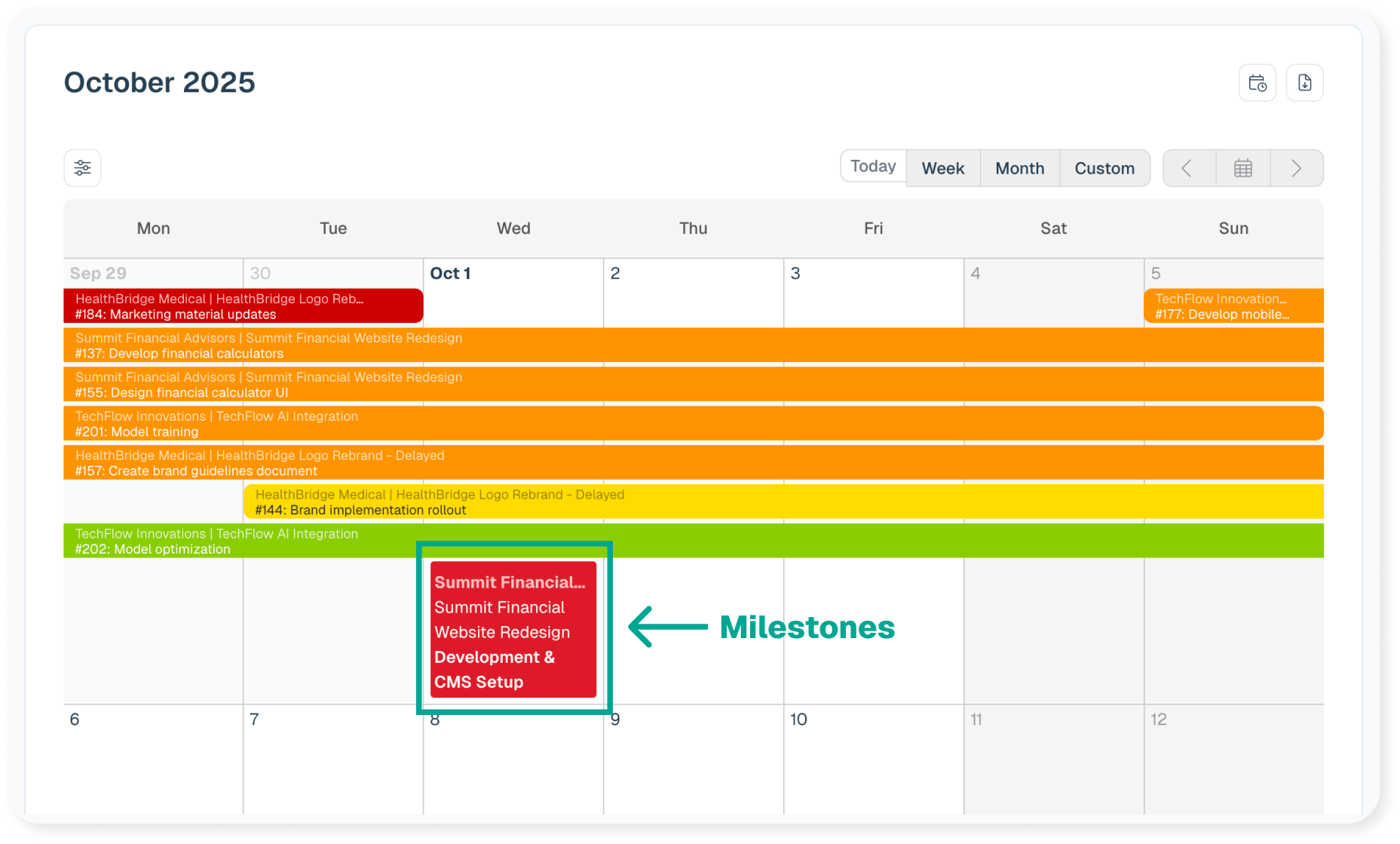
You will be prompted with options to update other items associated to that milestone