
Here are a few shortcuts that might help make adding time to your timesheet a little faster.
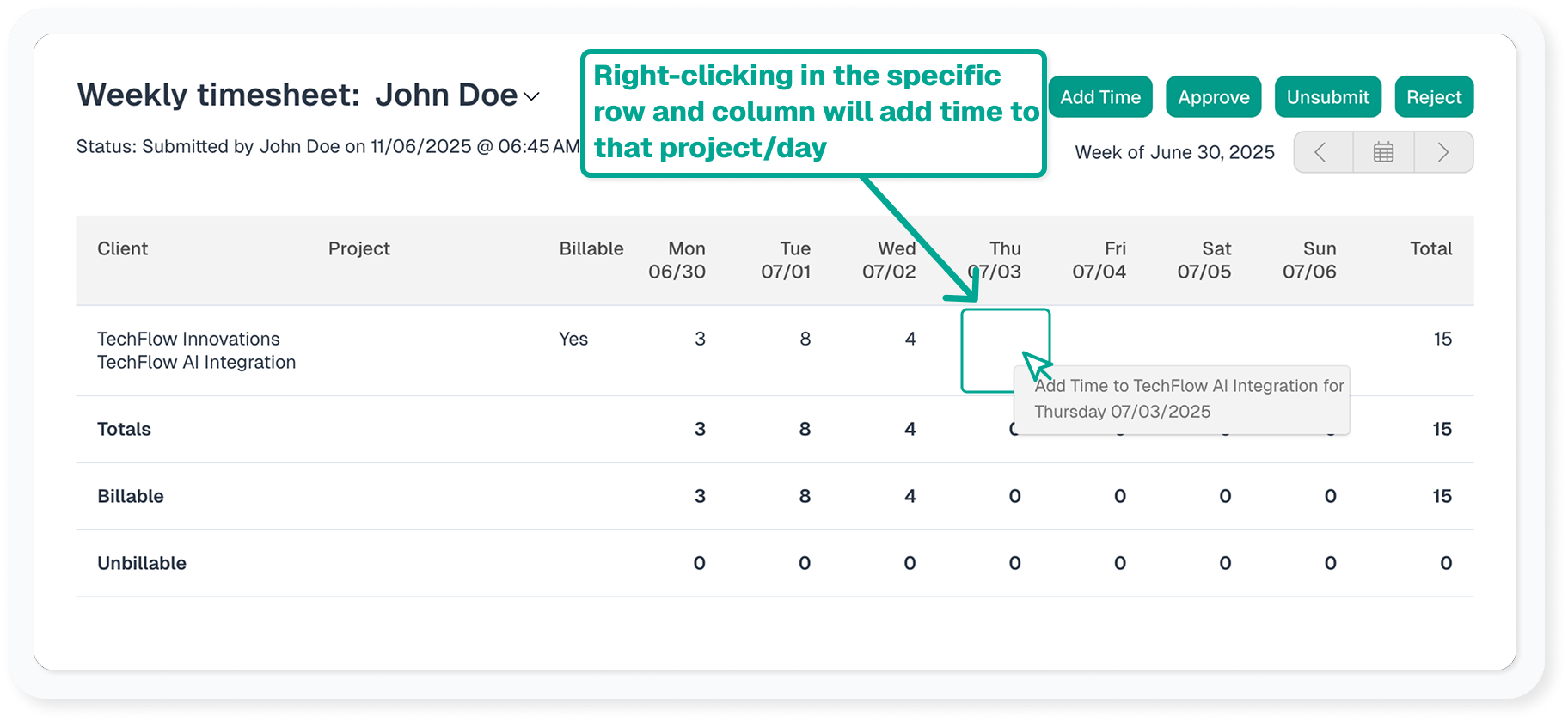
Right click on already existing time
Right clicking in a specific row and column will display an add time window for that day with the client/project pre-filled.
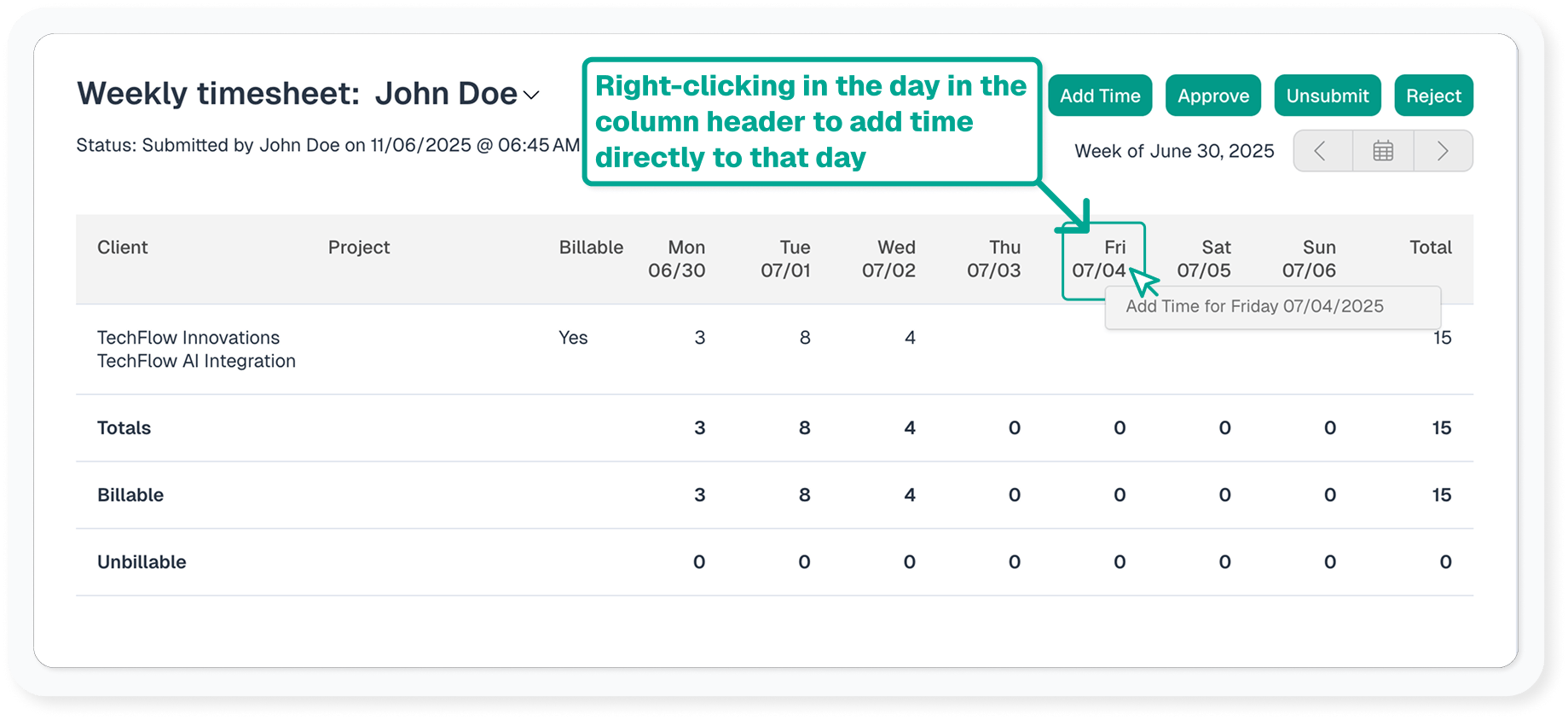
Right click on a day in the header
Right clicking on the weekday will display an add time window for that day and you may fill out the rest manually.
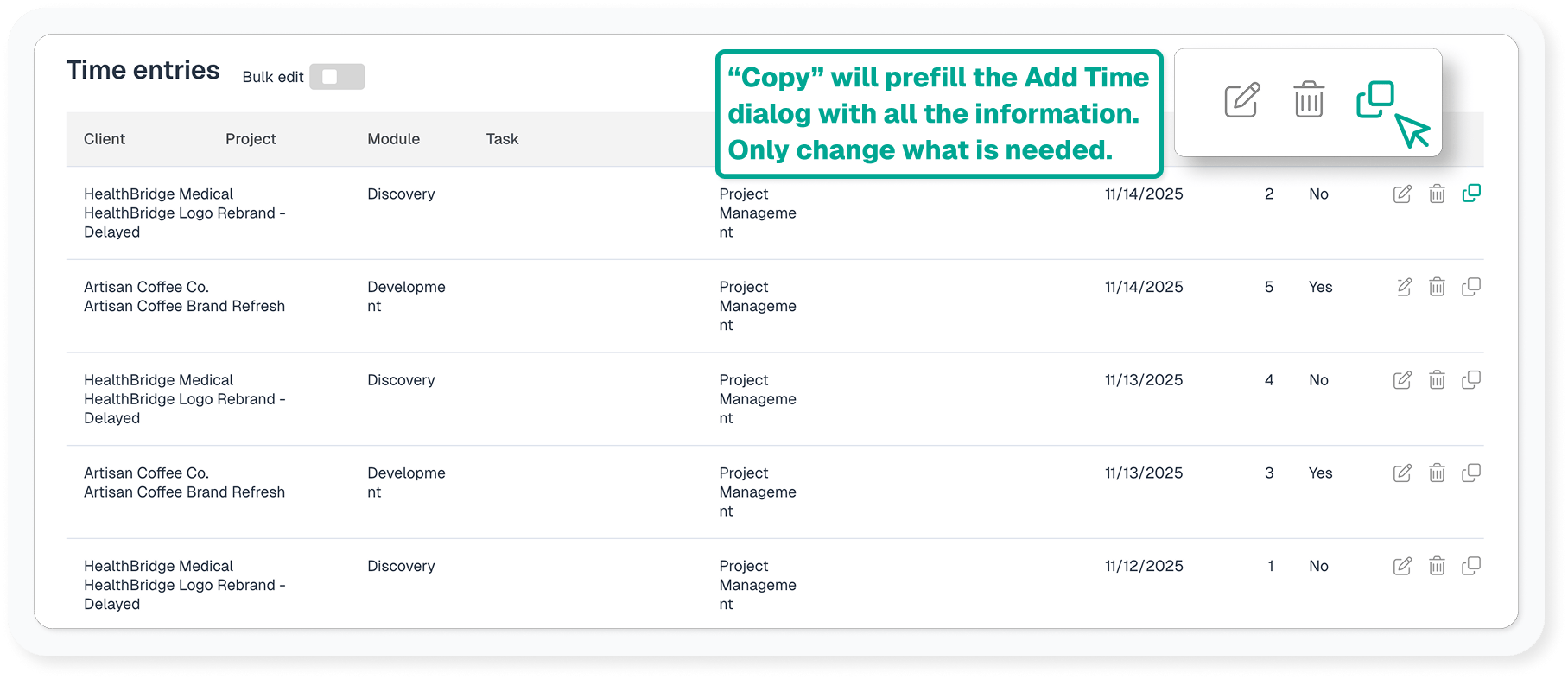
Copy time
- If you work on the same items each day, copy the time entries from yesterday.
- Were you or anyone else in a meeting and forgot to add your time? Copy a time entry from someone else’s timesheet to yours or vice versa. Note: this functionality is only available to Administrator users
Importing time entries
Have a lot of time to add? Time can be imported in CSV format to add time in bulk. Administrator level users can import time via Settings & Defaults > Import Data.